

Navigate to Billing > Invoices to access invoice management.
Invoice Management
Navigate to Billing > Invoices to manage automated patient outreach for outstanding balances.Invoice Metrics
At the top of the page, four metric cards show the count of invoices in attention-requiring states:- Failed: Invoices that could not be delivered (invalid phone, email bounce).
- Expired: Patients who completed the full rule set sequence but still have a balance.
- Paused: Patients with manually paused outreach.
- Will Fail: Invoices scheduled to send in the future that are predicted to fail.
Invoice Table
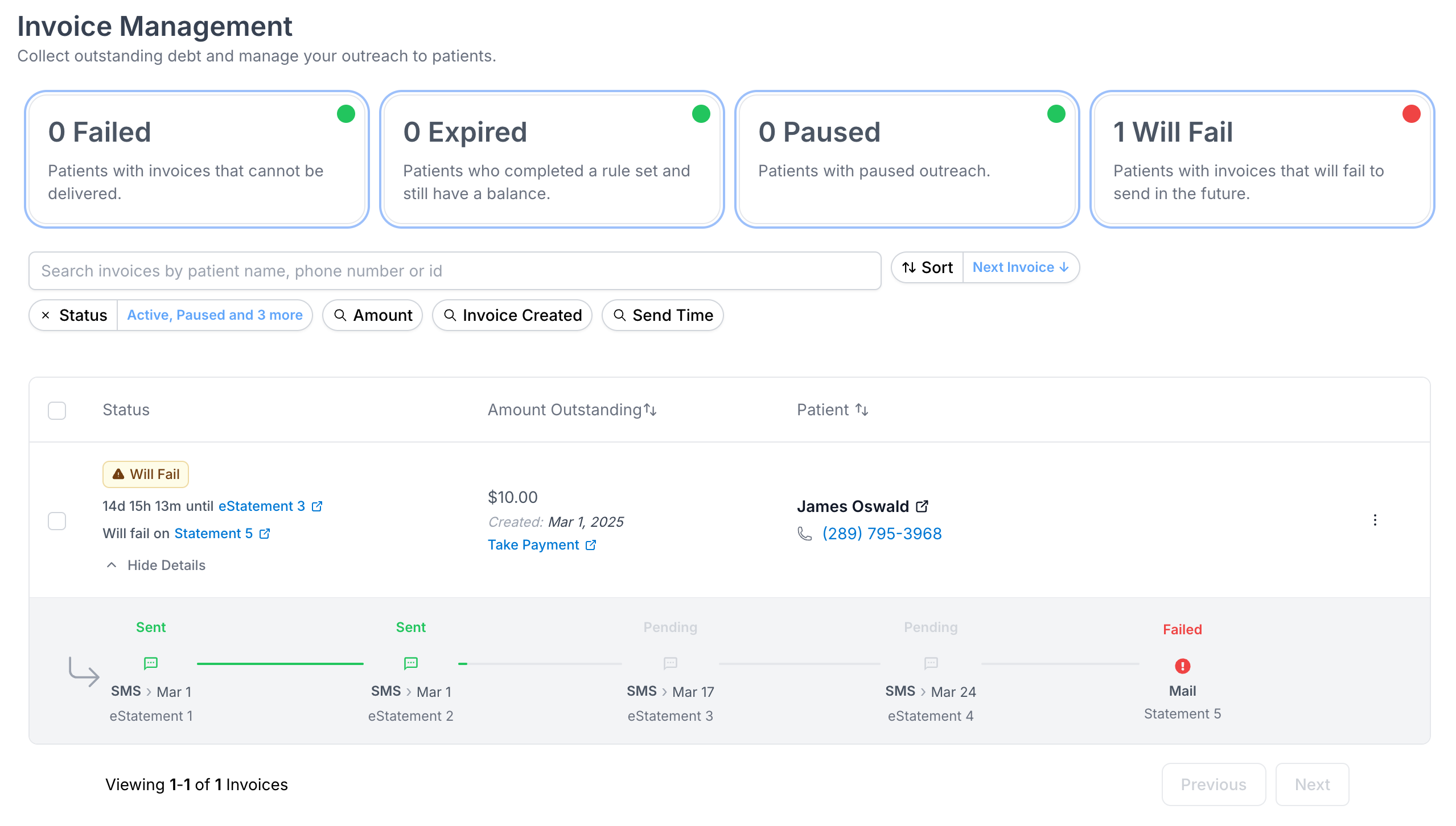
- Status: The current state of the invoice set with color-coded badges.
- Amount Outstanding: The total balance remaining across all linked charges.
- Patient: Patient details and a Take Payment link to go directly to the payment page.
- Actions: Context-specific actions for managing the invoice set.
What the Patient Receives
Invoices sent by email or physical mail arrive as a statement of the patient’s account. It lists:- Subtotal — every charge line at its full price, so the patient can see what they were billed for.
- Adjustment — anything written off or adjusted down, if there is any.
- Paid — anything already paid toward those charges, including a deposit or a payment taken at checkout.
- Amount due — what is still owed.
Invoice Actions
Available actions depend on the invoice set’s status:- Write Off — Marks the outstanding balances as uncollectable (available for Active, Paused, Expired, Will Fail, Failed).
- Send to Collections — Escalates the invoice to collections (available for Active, Paused, Expired, Will Fail, Failed).
- Change Rule Set — Switches the automated sequence to a different rule set.
- Pause — Temporarily stops all automated outreach (available for Active, Will Fail, Failed).
- Resume — Restarts paused outreach.
- Cancel — Permanently stops all outreach for this invoice set.
Bulk Actions
Select multiple invoice sets using the checkboxes, then use the bulk action bar to apply Write Off, Send to Collections, Change Rule Set, Pause, Resume, or Cancel to all selected invoices at once.Invoice Filters
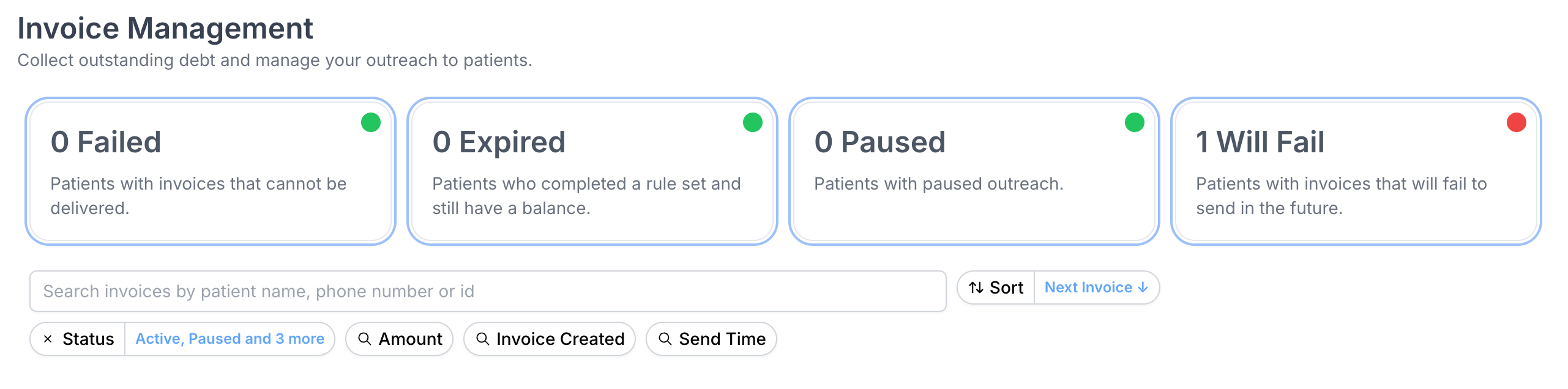
- Search: Patient name, phone number, or ID.
- Status: Multi-select from Active, Paused, Cancelled, Expired, Paid, Will Fail, Failed.
- Amount: Dollar range filter.
- Invoice Created: Date range for when the invoice set was created.
- Send Time: Date range for when the next message is scheduled.
- Rule Set: Filter by which rule set is being used.